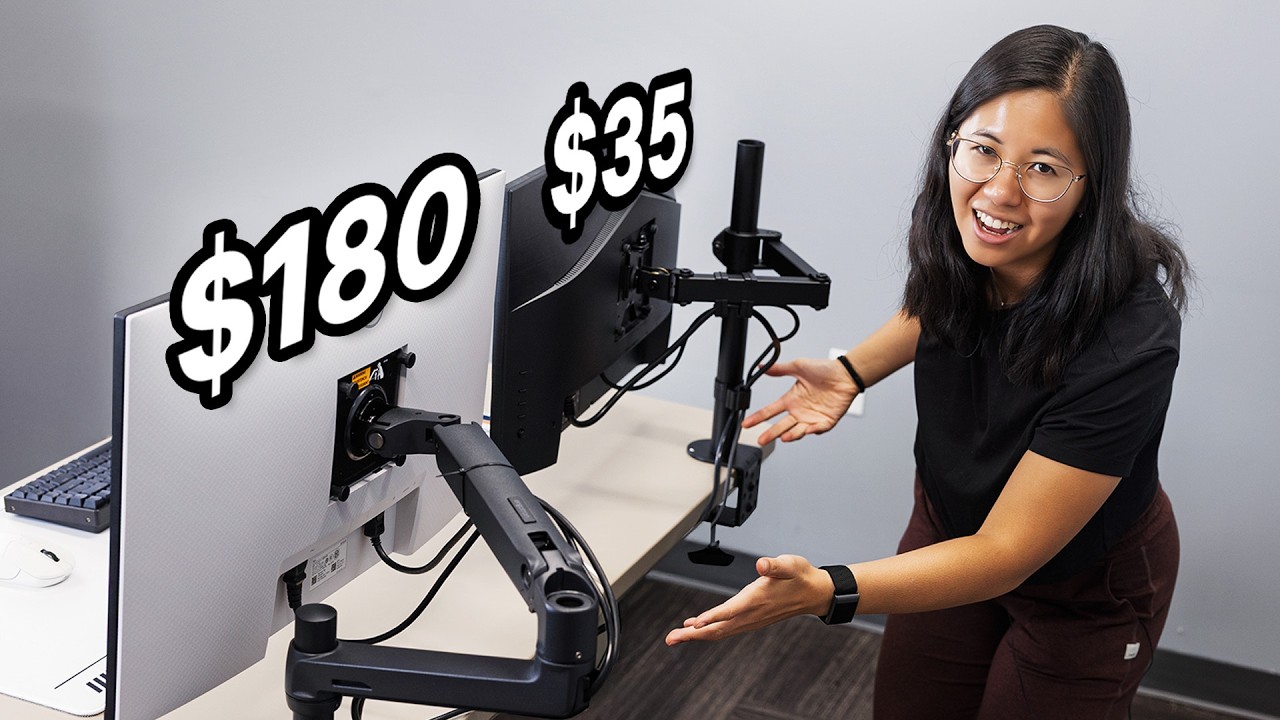
If you've ever added a monitor arm to your cart and then paused at the $100+ Ergotron staring back at you, you know the feeling. Is the budget option fine, or is the premium arm actually better where it counts? We put the $35 Vivo and the $180 Ergotron LX side by side to find out.
What You Get Out of the Box
The Vivo arm ships stuffed into a box with components loose and a bit dusty — one unit arrived with damaged foam on the C-clamp. The Ergotron LX shows up like surgical equipment: subdivided packaging, every piece protected. Neither packaging outcome is surprising, but the Ergotron signals quality before you even start assembly.
Build Quality: No Contest
Side by side, these arms are in different leagues. The Vivo is thinner, has visible welds, and bolts that stick out from the sides. The Ergotron is noticeably heavier — 1.4 kg versus 870 g — with flush hardware and a textured matte finish that looks clean behind any monitor. If you care about aesthetics, even tucked behind your screen, the Ergotron wins easily.
Installation and Setup
Both arms take 10–15 minutes to mount. The Vivo comes with more loose parts but lets you attach the VESA plate to the monitor first, then slide it onto the arm — handy with bigger displays. The Ergotron comes mostly pre-assembled, so there's less to figure out. Both use C-clamp desk mounts and support standard VESA patterns.
Cable management differs: the Vivo includes snap-on plastic clips along the arms, while the Ergotron routes cables through the lower arm. The Ergotron looks cleaner on the bottom half, but the upper section still needs zip ties — a minor annoyance on a premium product.
Adjustability Is Where It Gets Interesting
This is the real difference between a cheap and expensive monitor arm. Adjusting height on the Vivo means physically holding the monitor while you reposition — not great with a heavy display. The Ergotron uses internal coil springs that let you simply push or pull the arm to any height and it holds position. Rotation and tilt are smoother too. The Vivo feels like something you set once and don't touch again.
Who Should Buy Which
If you set your monitor once and leave it, the Vivo gets the job done. It holds up to 22 lbs, swivels, tilts, and rotates without complaint. But if you switch between sitting and standing, rotate to show someone your screen, or just want frictionless daily adjustments — the Ergotron LX pays for itself fast. Budget alternatives worth knowing: the Huanuo and Amazon Basics arms both run around $30 and hold up reliably over time.
Casual user who parks their monitor and forgets it? Go Vivo. Anyone who actually moves their monitor regularly? The Ergotron LX is worth every dollar.
This article was created with AI help. If you want to watch the original video, please visit the link below.