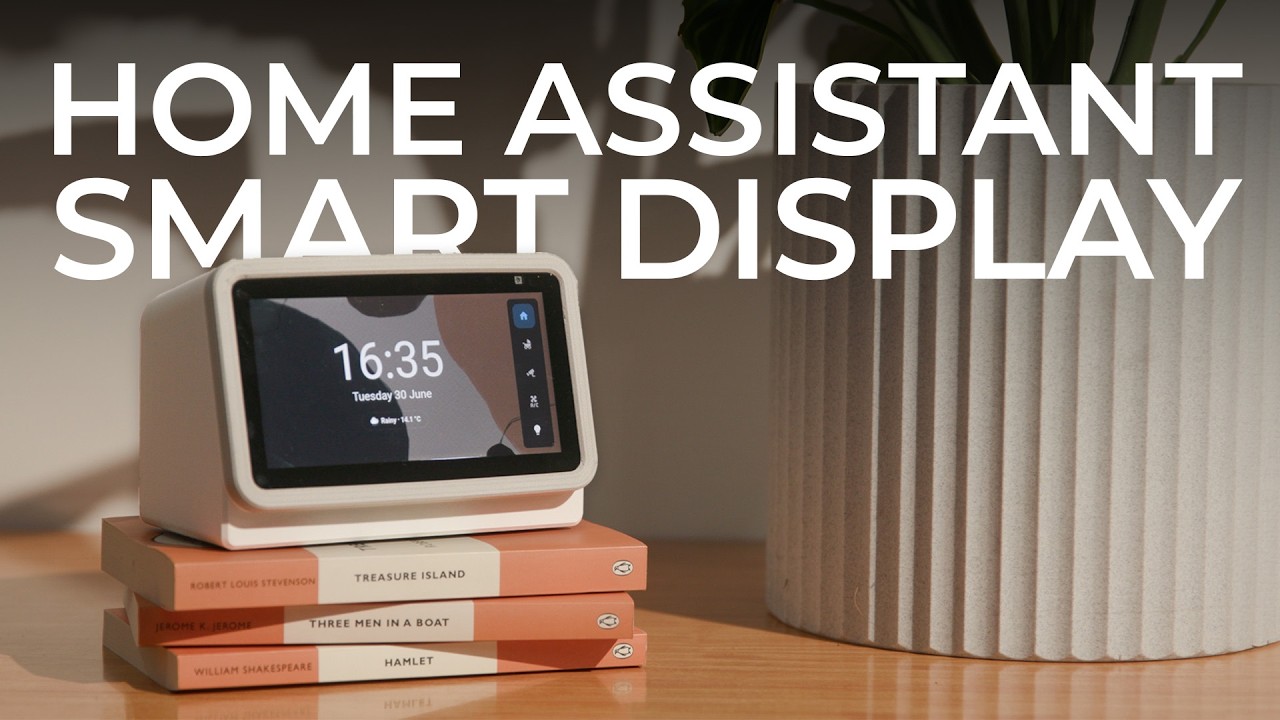
A dedicated touchscreen for Home Assistant at the bedside sounds great — until you price out the parts. A Raspberry Pi with a display, power supply, and case runs you $150–$200 before you've written a single line of YAML. A second-gen Echo Show 5 on eBay? Around $100, pre-built, with a speaker, mic, and a camera already inside.
Why a Jailbroken Echo Show Makes Sense
The Echo Show 5 isn't appealing because it's an Amazon product — it's appealing despite that. The hardware is solid, the price is low, and the 2nd-gen units are old enough that Amazon no longer supports them. That means they'd otherwise end up in a landfill. Flashing Lineage OS (a clean Android build) wipes Fire OS entirely, severs any Amazon tie-in, and turns the device into a capable little Android tablet you actually control.
The process takes about an hour the first time, following guides by YouTuber Mark Watt and a blog post by Derek Seaman. After that, it's a standard Android device. Install the Home Assistant app, point it at your server, and you're running a local smart home display with zero subscriptions.
View Assist: More Than Kiosk Mode
Home Assistant's built-in kiosk mode works, but it's bare-bones. View Assist — a HACS integration — is what makes the Echo Show genuinely useful. It lets you:
- Turn the display on/off remotely from Home Assistant
- Control volume and mute from automations
- Use the device as a media player
- Add a persistent navbar for quick dashboard switching
It's the difference between a screen that shows your dashboard and one that actually behaves like a smart display.
Building the Bedside Dashboard
The 5-inch screen is small, so the dashboard has to be ruthless about what it shows. A good bedside layout keeps it simple:
- Home view: Time, date, and current weather — big enough to read without glasses
- Baby monitor: Full-panel view of a UniFi Protect G4 Instant camera (2K, USB-C, cry detection, no cloud subscription required)
- Security cameras: Swipeable CCTV feeds for those middle-of-the-night "what was that?" moments
- AC controls and lights: Quick toggles for the bedroom without reaching for your phone
The navbar card from HACS ties it together and also surfaces a compact media player widget whenever something is playing.
The 3D Printed Enclosure
The Echo Show 5's default screen angle is designed for a desk or bench — when it's at bedside-table height and eye-level, the display faces slightly downward and becomes awkward to read from bed. A 3D printed enclosure fixes this by tilting the screen back to a more usable angle. The two-piece design (body + bezel) prints cleanly on a standard FDM printer, and the bezel includes flexible tabs that let you press the volume and mute buttons without removing the device. An X-Tool UV laser engraved button labels onto the prints and cut a cork foot pad to keep it from sliding around on the nightstand.
Is It Worth It?
If you already have a Home Assistant setup and a 3D printer, this is one of the best-value smart display projects you can do right now. The Echo Show 5 hardware is purpose-built for exactly this use case — touchscreen, speaker, mic, and camera in a compact form factor. Lineage OS and View Assist together give you full local control with no Amazon account, no cloud dependency, and no monthly fees. For $100 in hardware and an afternoon of setup, that's hard to beat.
This article was created with AI help. If you want to watch the original video, please visit the link below.